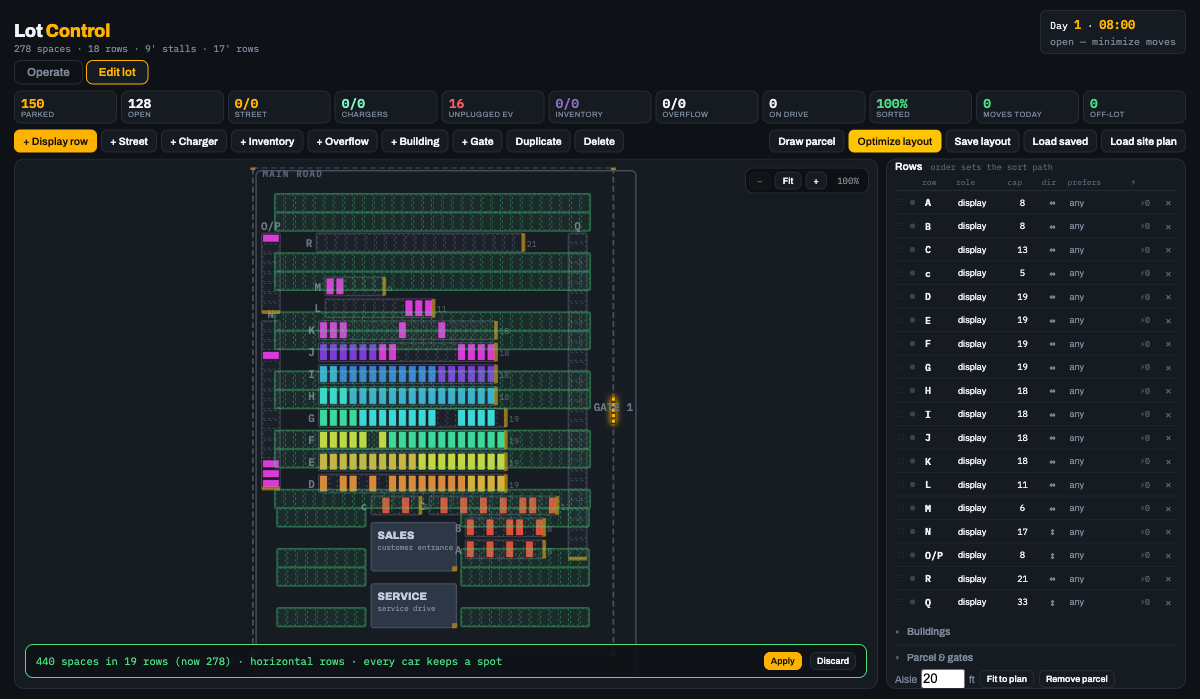
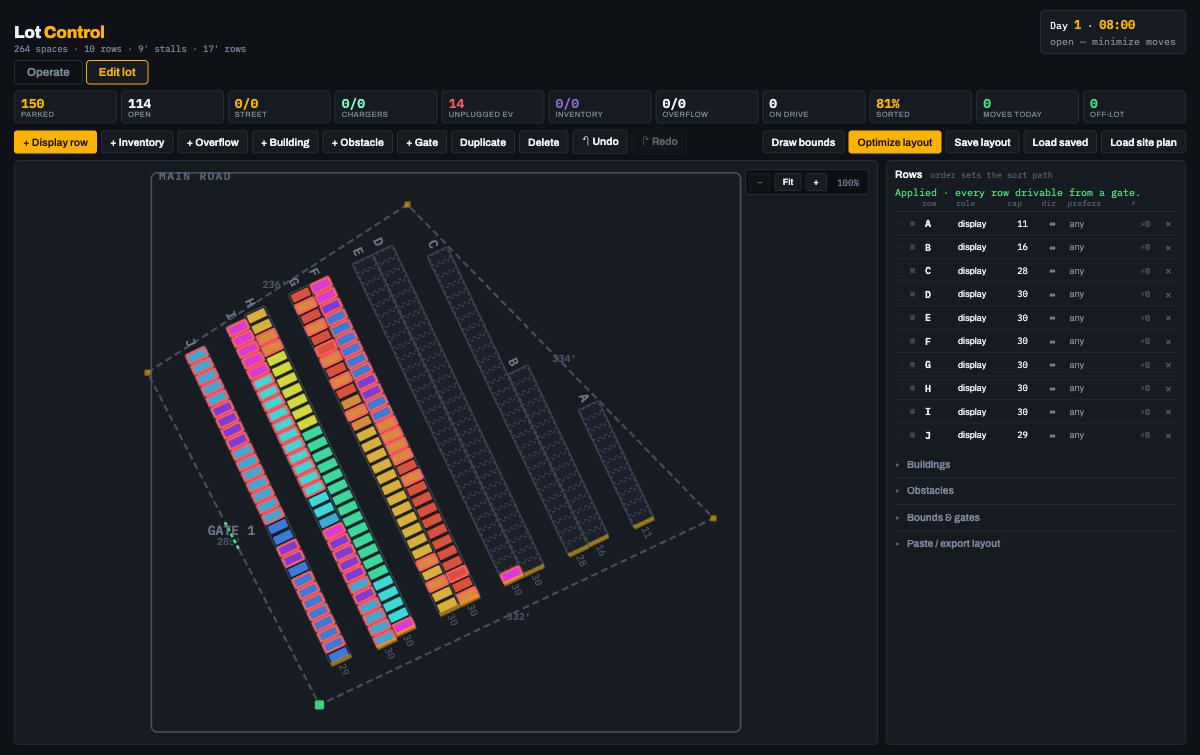
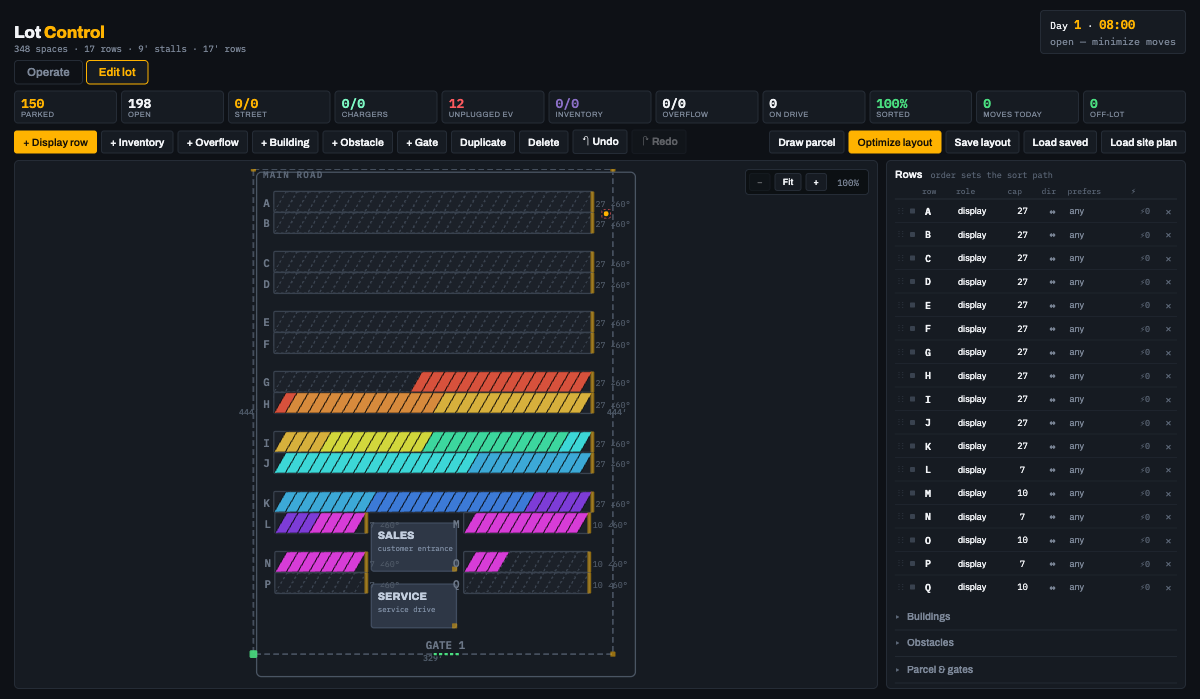
Lot Control combines the former planning and optimization workflow with a working
dealership lot engine. Load a blueprint, trace the usable parcel, compare layouts,
place incoming vehicles, manage test drives, and run a bounded morning reorganization
from one standalone browser app.
Public case summary and public standalone demo. No account or backend is required.
One operating surfacePlan + operate
The same layout powers geometry decisions, arrivals, inventory, and reorganization.
Optimization range45° to 90°
Compare capacity, ease, safety, circulation, and obstacle-clearance tradeoffs.
Deployment modelStandalone
No account or backend is required; layout data stays portable in the browser.
Apply-safe optimizer previewBoundary-derived row bearings60° stalls around constraints
Lot Control previews every generated plan before it changes the live lot, reads useful
bearings from the parcel itself, and keeps the vehicle census intact when capacity changes.
The friction
Lot plans and daily vehicle movement are usually treated as separate problems.
A layout can look efficient on paper and still fail once gates, obstacles, test
drives, reserved bays, and the full vehicle census have to survive the change.
What I built
A zero-dependency planning and operations app built with plain ES modules and SVG.
The physical plan and the cars occupying it share one model, so geometry decisions
can be tested against real operating behavior instead of a static capacity number.
Key decision
Load a blueprint beneath the live lot, calibrate it from a printed dimension, trace
the parcel, place gates, buildings, and buffered obstacles, then compare standard,
custom, or mixed-angle layouts.
Candidate plans are scored on spaces, parking ease, and safety and appear as a ghost
preview before Apply. The complete plan exports as GeoJSON.
Working behavior
Incoming cars are placed with minimal daytime disruption. EV bays stay reserved,
preferred zones steer without blocking capacity, test drives hold their spots, and
inventory can overflow safely. At close, a move-budgeted pass reorganizes the lot
using the selected crew size, time window, and measured seconds per move.
Guardrail
A layout edit never destroys a car. If rows disappear and the remaining lot is full,
displaced vehicles move into an explicit off-lot yard and return automatically when
capacity comes back. The same guarded path handles optimizer results, JSON imports,
hand edits, and saved layouts.
Demo sequence
Tell the story in three moves.
Open Edit lot, load a blueprint, and calibrate it from a printed dimension.
Trace bounds, mark a constraint, and compare the optimizer's angle candidates.
Return to Operate, receive a vehicle, then close and reorganize the lot.
Proof signals
Planning decisions survive operations.
The optimizer counts only stalls reachable from a real gate.
Every applied edit preserves the dealership's full vehicle census.
The morning plan is bounded by real people, time, and move pace.
Why it matters
One product, one source of truth.
Blueprint context, editable geometry, and live occupancy share one screen.
The standalone build is portable enough for a walkthrough or field laptop.
Earlier standalone routes now forward into this unified app.